About this ebook
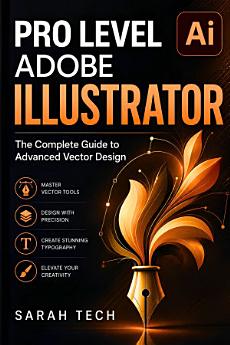
Whether you are designing corporate logos, creating complex vector illustrations, or building commercial graphic design layouts, this guide strips away the overwhelm. You will navigate the Adobe Illustrator CC interface with purpose, mastering the high-level vector graphics software tools that industry professionals use daily to create stunning digital art.
Core Skills You Will Develop
Precision Pen Tool Mastery Move beyond basic shapes. Learn advanced path manipulation, anchor point refinement, and Bezier curve techniques to create complex vector illustrations.
Advanced Pathfinder and Shape Builder Techniques Construct complex geometry and logos efficiently by combining, subtracting, and intersecting foundational shapes.
Professional Color and Gradient Control Bring flat vectors to life using advanced gradient meshes, blend tools, and global color swatches for photorealistic scalable graphics.
Typography and Branding Layout Combine custom lettering and precise typographic controls to build striking logo design and branding assets, promotional materials, and commercial layouts.
Non-Destructive Workflows Work efficiently using Appearance panels, graphic styles, and symbols to create editable, professional-grade vector illustration techniques.
Stop memorizing disjointed tutorials and start understanding the underlying mechanics of vector creation. By the end of this comprehensive guide, you will have the technical confidence to tackle any creative brief or illustration project—building professional assets entirely from scratch.