About this ebook
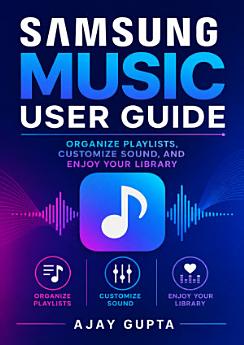
Make every song easier to find, enjoy, and share with the Samsung Music User Guide by Ajay Gupta. Designed for Samsung Galaxy users of all experience levels, this practical guide explains how to organize your music library, create and manage playlists, customize sound settings, and get more from the Samsung Music app. Whether you are building a workout playlist, sorting albums, exploring playback controls, or fine-tuning your listening experience, you will find clear, approachable guidance for everyday use. Learn how to navigate Samsung Music, browse songs and albums, search your collection, manage favorites, and keep your library organized. Discover useful playback features, repeat and shuffle options, queue management, equalizer settings, audio effects, and volume controls that can help personalize your sound. The book also offers helpful tips for managing music files, understanding common settings, and improving your overall listening workflow on compatible Samsung devices. Written in a straightforward, step-by-step style, this Samsung Music guide avoids unnecessary technical jargon and focuses on practical results. It is a useful companion for new Samsung phone owners, longtime Galaxy users, music fans, and anyone who wants a simpler way to manage mobile music. Whether you listen casually or maintain a large personal collection, this user guide can help you take control of your playlists, sound preferences, and digital music library.
Make every song easier to find, enjoy, and share with the Samsung Music User Guide by Ajay Gupta. Designed for Samsung Galaxy users of all experience levels, this practical guide explains how to organize your music library, create and manage playlists, customize sound settings, and get more from ...
Discover more
About the author
Ajay Gupta writes practical technology guides that help readers use everyday devices and applications with greater confidence. His work focuses on clear instructions, accessible explanations, and useful tips for organizing digital content, customizing settings, and improving the user experience. In the Samsung Music User Guide, he provides approachable guidance for Galaxy users who want to manage playlists, personalize sound, and enjoy their music library more effectively.
Ajay Gupta writes practical technology guides that help readers use everyday devices and applications with greater confidence. His work focuses on clear instructions, accessible explanations, and useful tips for organizing digital content, customizing settings, and improving the user experience. ...
Rate this ebook
Tell us what you think.
Reading information
Smartphones and tablets
Install the Google Play Books app for Android and iPad/iPhone. It syncs automatically with your account and allows you to read online or offline wherever you are.
Laptops and computers
You can listen to audiobooks purchased on Google Play using your computer's web browser.
eReaders and other devices
To read on e-ink devices like Kobo eReaders, you'll need to download a file and transfer it to your device. Follow the detailed Help Center instructions to transfer the files to supported eReaders.