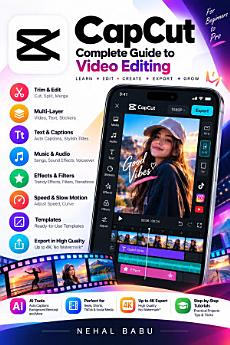
CapCut: A Beginner’s Guide to Video Editing, Reels, YouTube Shorts, Effects, Captions, and More
About this ebook
Whether you are a complete beginner or a content creator looking to improve your editing skills, this practical guide will help you understand CapCut and develop a simple, effective video-editing workflow.
Inside this book, you will discover how to:
Get started with CapCut on mobile, desktop, and the web.
Understand the editing interface, timeline, and essential controls.
Trim, split, crop, resize, and arrange video clips.
Apply transitions, filters, visual effects, and overlays.
Create professional-looking titles, animated text, and captions.
Add background music, sound effects, and voiceovers.
Use speed controls, slow motion, speed curves, and beat synchronization.
Create smooth animations using keyframes, masks, and picture-in-picture.
Improve footage with color correction and cinematic editing techniques.
Make vertical videos for Instagram Reels and YouTube Shorts.
Choose suitable export settings and troubleshoot common editing problems.
Practical exercises and helpful checklists at the end of the book will help you apply what you learn through real editing projects. You will also find a glossary of essential editing terms and guidance on using music and other creative assets responsibly.
Written in clear, beginner-friendly language, this book focuses on practical steps, creative decisions, and repeatable editing techniques to help you produce cleaner, more engaging videos.
Start learning CapCut today and build your confidence as a video creator.
About the Author
Nehal Babu writes practical, beginner-friendly guides on digital creativity and video editing, helping readers understand tools through clear explanations and hands-on practice.
Disclaimer: This is an independent educational publication. It is not affiliated with, endorsed by, or sponsored by CapCut or its parent company. Features and workflows may vary by device, region, software version, and subscription plan.