About this ebook
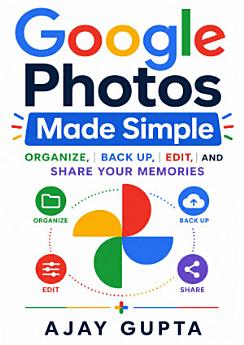
Take control of your photo library with Google Photos Made Simple: Organize, Back Up, Edit, and Share Your Memories by Ajay Gupta. Whether you are new to Google Photos or want to use it more efficiently, this practical guide explains the essential tools and features in clear, easy-to-follow language. Learn how to upload and back up photos and videos, organize memories with albums and favorites, search quickly using Google Photos’ intelligent tools, and free up valuable space on your phone. You will also discover how to edit images, enhance portraits, create collages and animations, manage screenshots and duplicate files, and share memories safely with family and friends. Google Photos Made Simple covers everyday workflows for Android, iPhone, tablet, and computer users, helping you keep your digital memories accessible across devices. It also offers useful guidance on privacy, account management, storage, downloading, printing, and preserving important photos for the future. Written for beginners, families, seniors, travelers, and anyone with an overflowing camera roll, this user-friendly Google Photos guide turns confusion into confidence. Follow the step-by-step advice to build a cleaner, safer, and more enjoyable photo library—so you can spend less time managing files and more time reliving the moments that matter.
Take control of your photo library with Google Photos Made Simple: Organize, Back Up, Edit, and Share Your Memories by Ajay Gupta. Whether you are new to Google Photos or want to use it more efficiently, this practical guide explains the essential tools and features in clear, easy-to-follow langu...
Discover more
About the author
Ajay Gupta is a practical technology author focused on making everyday digital tools easier to understand and use. Through clear explanations and approachable step-by-step guidance, he helps readers organize digital photos, protect important memories, and get more from services such as Google Photos. His work is designed for beginners, families, seniors, and anyone seeking simple solutions for digital organization, backup, editing, and sharing.
Ajay Gupta is a practical technology author focused on making everyday digital tools easier to understand and use. Through clear explanations and approachable step-by-step guidance, he helps readers organize digital photos, protect important memories, and get more from services such as Google Pho...
Rate this ebook
Tell us what you think.
Reading information
Smartphones and tablets
Install the Google Play Books app for Android and iPad/iPhone. It syncs automatically with your account and allows you to read online or offline wherever you are.
Laptops and computers
You can listen to audiobooks purchased on Google Play using your computer's web browser.
eReaders and other devices
To read on e-ink devices like Kobo eReaders, you'll need to download a file and transfer it to your device. Follow the detailed Help Center instructions to transfer the files to supported eReaders.