About this ebook
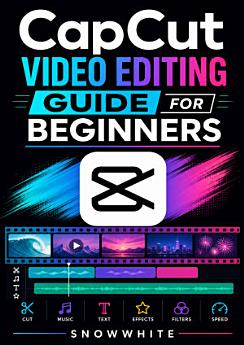
Unlock the creative power of CapCut with CapCut Video Editing Guide for Beginners, a practical, easy-to-follow introduction to mobile video editing. Whether you want to create engaging social media videos, polished YouTube content, memorable family videos, or eye-catching short-form clips, this beginner-friendly guide helps you move from recording to publishing with confidence. Snowwhite explains the essential CapCut tools and workflows in clear, accessible language, making video editing less intimidating for first-time creators. Learn how to import and organize footage, trim and split clips, arrange a timeline, add transitions, apply filters and effects, create captions and text overlays, work with music and sound effects, adjust speed, and improve the overall look and feel of your videos. The guide also introduces practical techniques for storytelling, pacing, vertical video creation, and export settings so your finished projects are ready for platforms such as TikTok, Instagram, YouTube, and more. Instead of overwhelming you with complicated terminology, this CapCut tutorial focuses on useful skills you can apply immediately. Follow the step-by-step approach to build confidence, avoid common editing mistakes, and develop a repeatable creative workflow. Whether you are a student, content creator, small-business owner, vlogger, or aspiring social media editor, this CapCut video editing book is a helpful starting point for turning raw clips into polished, shareable videos.
Unlock the creative power of CapCut with CapCut Video Editing Guide for Beginners, a practical, easy-to-follow introduction to mobile video editing. Whether you want to create engaging social media videos, polished YouTube content, memorable family videos, or eye-catching short-form clips, this b...
Discover more
Ratings and reviews
6 reviews

Ganesh Xetry
- Flag inappropriate
October 30, 2026
Good as Good apps hello everyone please Us this apps

Suresh Devipujak
- Flag inappropriate
- Show review history
October 30, 2026
દેવીપુજક જયંતિ વિનોદભાઈ વાઘરી જયંતિ
About the author
Snowwhite is an approachable publishing voice focused on making digital creativity accessible to beginners. With a practical interest in CapCut video editing, mobile content creation, and social media production, Snowwhite develops clear guides that turn complex tools into manageable steps. The author’s work helps new creators build confidence with video editing, visual storytelling, captions, effects, audio, and content workflows. CapCut Video Editing Guide for Beginners reflects Snowwhite’s goal of helping readers create polished, engaging videos with simple techniques and consistent practice.
Snowwhite is an approachable publishing voice focused on making digital creativity accessible to beginners. With a practical interest in CapCut video editing, mobile content creation, and social media production, Snowwhite develops clear guides that turn complex tools into manageable steps. The a...
Rate this ebook
Tell us what you think.
Reading information
Smartphones and tablets
Install the Google Play Books app for Android and iPad/iPhone. It syncs automatically with your account and allows you to read online or offline wherever you are.
Laptops and computers
You can listen to audiobooks purchased on Google Play using your computer's web browser.
eReaders and other devices
To read on e-ink devices like Kobo eReaders, you'll need to download a file and transfer it to your device. Follow the detailed Help Center instructions to transfer the files to supported eReaders.