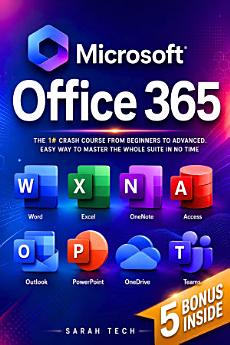
Microsoft Office 365 For Beginners: The 1# Crash Course From Beginners To Advanced. Easy Way to Master The Whole Suite in no Time | Excel, Word, ... Teams & Access (Mastering Technology) With 5 bonuses
About this ebook
Mastering the modern workplace requires a functional, confident command of office productivity software. This operational manual provides an exhaustive, step-by-step tech manual designed to transition readers from basic computer application users into proficient power users. Written explicitly to eliminate technical jargon, this guide provides clear, practical workflows for every major application within the ecosystem.
Whether you need to build complex formulas, automate document layouts, or build structured data storage systems, this resource delivers actionable instructions tailored for quick execution.
What is Inside This Step-by-Step Tech Manual
Microsoft Word Document Formatting: Learn to manage style sheets, automate multi-page numbering, build professional templates, configure complex page layouts, and utilize advanced mail merge tools for mass communications.
Excel Formulas and Functions: Master data entry efficiency, absolute and relative cell referencing, essential logical functions, conditional formatting rules, dynamic PivotTables, and clear data visualization techniques.
PowerPoint Presentation Design: Discover how to structure engaging slide decks, apply consistent visual hierarchies, embed multimedia elements seamlessly, configure custom transitions, and utilize presenter tools for seamless delivery.
Outlook Email Management & Scheduling: Optimize inbox organization using rules and folders, manage multiple calendars, synchronize tasks, automate template responses, and streamline daily workplace communication.
Teams Collaboration Guide: Configure shared workspaces, manage channel permissions, conduct structured video conferences, integrate third-party project management applications, and share files securely.
Access Database Tutorial: Establish fundamental relational database structures, build input forms, execute complex queries, and generate clean, automated reports for corporate tracking.
Exclusive Productivity Bonuses: Access downloadable cheat sheets, keyboard shortcut reference sheets, pre-built financial spreadsheets, customizable presentation templates, and troubleshooting workflow checklists.
Stop wasting time searching for scattered internet tutorials. Take control of your professional toolkit, reduce your daily work stress, and build elite digital skills that set you apart in the competitive job market.
Discover more
Ratings and reviews

- Flag inappropriate

- Flag inappropriate