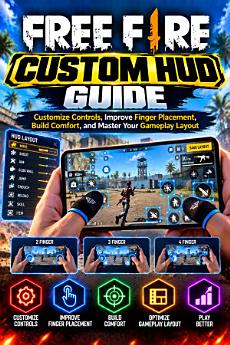
Free Fire Custom HUD Guide: Customize Controls, Improve Finger Placement, Build Comfort, and Master Your Gameplay Layout
About this ebook
Customize Controls, Improve Finger Placement, Build Comfort, and Master Your Gameplay Layout
Does your Free Fire control layout feel uncomfortable? Do you miss buttons, stretch your fingers to shoot, accidentally press nearby controls, or struggle to adapt after changing devices?
The Free Fire Custom HUD Guide by Nehal Babu offers a practical, step-by-step approach to building a control layout that suits your hands, device, and playing style.
Instead of promoting one supposedly perfect HUD, this book teaches you how to understand your controls, identify layout problems, test adjustments, and keep the changes that genuinely help.
What You Will Learn
Understand the HUD: Learn the purpose of common controls and how HUD layout differs from sensitivity settings.
Choose your finger layout: Explore one-thumb, two-thumb, three-finger, and four-finger control styles, including their advantages and trade-offs.
Improve button placement: Position frequently used controls within comfortable reach while reducing overlap and accidental touches.
Balance button size and visibility: Find a practical balance between easy-to-press buttons and a clear view of the action.
Customize for different game modes: Apply layout principles to headshot practice, close-range combat, Battle Royale, and Clash Squad.
Adapt to your device: Understand how screen size, aspect ratio, grip, and screen protectors can affect comfort and control.
Separate HUD problems from sensitivity problems: Learn to test one variable at a time instead of changing everything together.
Build better practice habits: Use structured drills, layout comparisons, troubleshooting exercises, and progress notes.
Follow a step-by-step improvement plan: Turn the concepts into a repeatable process for reviewing and refining your layout.
A Practical Guide, Not a Shortcut
This book includes exercises for testing reach, detecting overlapping controls, checking visibility, practicing movement and firing together, and comparing layout changes over multiple sessions. It also emphasizes gradual adjustments, consistent practice, and restoring a previous layout when a change does not help.
Whether you are a beginner learning the controls or an experienced player looking to improve comfort and consistency, you can use the methods in this guide to make more informed layout decisions.
There is no universal best HUD, and no layout can guarantee headshots, wins, or a higher rank. The goal is to remove avoidable physical obstacles and make your practice more comfortable and consistent.
Make your layout your own—one thoughtful adjustment at a time.
Independent educational guide. This book is not affiliated with, endorsed by, or sponsored by Garena. Free Fire and its associated names and assets belong to their respective owners. Game controls and options may change with updates; check your own version of the game.