About this ebook
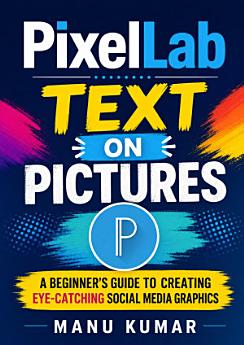
Create eye-catching social media graphics with confidence using PixelLab Text on Pictures: A Beginner’s Guide to Creating Eye-Catching Social Media Graphics by Manu Kumar. Designed for beginners, this practical guide introduces PixelLab’s powerful text-on-image tools in a clear, approachable way—no graphic design experience required. Learn how to add and customize text, choose readable fonts, combine colors, use shadows and outlines, arrange elements, and create polished visuals for Instagram, Facebook, YouTube, WhatsApp, Pinterest, and other platforms. Step-by-step guidance helps you transform ordinary photos into attention-grabbing posts, quotes, announcements, thumbnails, promotional designs, and branded content. You’ll also discover essential principles of visual hierarchy, contrast, spacing, composition, and mobile-friendly design so your graphics look professional on any screen. Whether you are a content creator, small-business owner, student, blogger, marketer, or aspiring designer, this beginner-friendly PixelLab tutorial will help you create engaging images quickly using an Android device. With practical tips and easy-to-follow techniques, you can build a consistent visual style, communicate your message effectively, and make your social media content stand out. Start creating attractive text-on-picture designs today with PixelLab and turn your ideas into shareable graphics.
Create eye-catching social media graphics with confidence using PixelLab Text on Pictures: A Beginner’s Guide to Creating Eye-Catching Social Media Graphics by Manu Kumar. Designed for beginners, this practical guide introduces PixelLab’s powerful text-on-image tools in a clear, approachable way—...
Discover more
About the author
Manu Kumar is a practical author focused on making digital design tools accessible to beginners. Through clear explanations and step-by-step instruction, he helps readers use PixelLab, text-on-picture techniques, and mobile graphic design to create professional-looking social media content. His work is especially useful for content creators, entrepreneurs, marketers, students, and anyone learning to design engaging visuals on Android devices.
Manu Kumar is a practical author focused on making digital design tools accessible to beginners. Through clear explanations and step-by-step instruction, he helps readers use PixelLab, text-on-picture techniques, and mobile graphic design to create professional-looking social media content. His w...
Rate this ebook
Tell us what you think.
Reading information
Smartphones and tablets
Install the Google Play Books app for Android and iPad/iPhone. It syncs automatically with your account and allows you to read online or offline wherever you are.
Laptops and computers
You can listen to audiobooks purchased on Google Play using your computer's web browser.
eReaders and other devices
To read on e-ink devices like Kobo eReaders, you'll need to download a file and transfer it to your device. Follow the detailed Help Center instructions to transfer the files to supported eReaders.