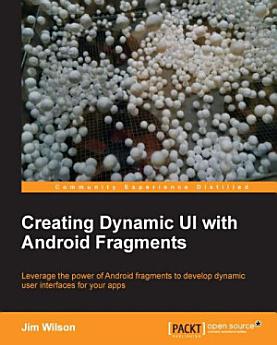
Creating Dynamic UI with Android Fragments: Make your Android apps a superior, silky-smooth experience for the end-user with this comprehensive guide to creating a dynamic and multi-pane UI. Everything you need to know in one handy volume.

· Packt Publishing Ltd
6 reviews
Ebook
122
Pages
Tools

About this ebook

Make your Android apps a superior, silky-smooth experience for the end-user with this comprehensive guide to creating a dynamic and multi-pane UI. Everything you need to know in one handy volume.Key Features
  • Learn everything you need to know to provide dynamic multi-screen UIs within a single activity
  • Integrate the rich UI features demanded by today's mobile users
  • Understand the basics of using fragments and how to use them to create more adaptive and dynamic user experiences
Book DescriptionTo create a dynamic and multi-pane user interface on Android, you need to encapsulate UI components and activity behaviors into modules that you can swap into and out of your activities. You can create these modules with the fragment class, which behaves somewhat like a nested activity that can define its own layout and manage its own lifecycle. When a fragment specifies its own layout, it can be configured in different combinations with other fragments inside an activity to modify your layout configuration for different screen sizes (a small screen might show one fragment at a time, but a large screen can show two or more). Creating Dynamic UI with Android Fragments shows you how to create modern Android applications that meet the high expectations of today's users. You will learn how to incorporate rich navigation features like swipe-based screen browsing and how to create adaptive UIs that ensure your application looks fantastic whether run on a low cost smartphone or the latest tablet. This book looks at the impact fragments have on Android UI design and their role in both simplifying many common UI challenges and providing new ways to incorporate rich UI behaviors. You will learn how to use fragments to create UIs that automatically adapt to device differences. We look closely at the roll of fragment transactions and how to work with the Android back stack. Leveraging this understanding, we then explore several specialized fragment-related classes like ListFragment and DialogFragment as well as rich navigation features like swipe-based screen browsing.What you will learn
  • Understand the role and capabilities of fragments
  • Explore the fragment-oriented features of Android Studio
  • Create an app UI that works effectively on smartphones and tablets
  • Use fragments to create engaging navigation capabilities like swipe-based screen browsing
  • Work with special purpose fragment classes like ListFragment and DialogFragment
  • Dynamically manage fragments using the FragmentTransaction class
  • Learn appropriate application design for communicating between fragments
  • Efficiently handle fragment creation and lifecycle
  • Simplify cross-thread UI handling with fragments
  • Form multi-screen UIs that run within a single activity
Who this book is for

This book is for developers with a basic understanding of Android programming who would like to improve the appearance and usability of their applications. Whether you're looking to create a more interactive user experience, create more dynamically adaptive UIs, provide better support for tablets and smartphones in a single app, reduce the complexity of managing your app UIs, or you are just trying to expand your UI design philosophy, then this book is for you.

Make your Android apps a superior, silky-smooth experience for the end-user with this comprehensive guide to creating a dynamic and multi-pane UI. Everything you need to know in one handy volume.Key Features Learn everything you need to know to provide dynamic multi-screen UIs within a single act...

Discover more

Ratings and reviews

6 reviews
Danny Preussler
November 29, 2013
For most Android developers Fragments should form part of their daily work. But do we really understand them? This book starts with an overview of when to use fragments (and also when not to) and introduces them using an example that it follows. If you are already familiar with fragments you might want to skip the first part but should pay attention to the the part about lifecycle. It details exactly how lifecycle and associated methods of activities and fragment are bound. The last part explains actionbar navigtion patterns with fragments. Sadly the menu drawer is missing. A very important book, just some hundred pages but worth reading
4 people found this review helpful
Did you find this helpful?
Anil Das
July 24, 2021
AÀA BOSS NETWORK
Did you find this helpful?

About the author

Jim Wilson is the President of JW Hedgehog, Inc., a consulting firm specializing in solutions for the Android, iOS, and Microsoft platforms. He has over 30 years of software engineering experience, with the past 15 years heavily focused on creating mobile device and location-based solutions. Jim cofounded multiple software-related startups and has served in a consulting role at several more. After nearly a decade as a Microsoft Device Application Development MVP, he now focuses on developing Android and iOS device applications. Jim's passion is mentoring software developers. He is a regular contributor of Android, iOS, and Xamarin training material at Pluralsight (http://training.jwhh.com), a leading provider of online developer training. Jim has authored more than 30 articles on device application development and has served as a contributing expert on mobile software development issues for a variety of media outlets. Jim and his wife, along with several cats, split their time between Celebration, Florida (just three miles from Walt Disney World) and Weirs Beach, New Hampshire. You can take a look at his blog (http://blog.jwhh.com) where he talks about a variety of mobile software development issues as well as the adventures of a life split between the busy region of the "House of Mouse" and the quietness of NH's lakes and mountains. You can reach Jim at androidtraining@jwhh.com.

Jim Wilson is the President of JW Hedgehog, Inc., a consulting firm specializing in solutions for the Android, iOS, and Microsoft platforms. He has over 30 years of software engineering experience, with the past 15 years heavily focused on creating mobile device and location-based solutions. Jim ...

Rate this ebook

Tell us what you think.

Reading information

Smartphones and tablets
Install the Google Play Books app for Android and iPad/iPhone. It syncs automatically with your account and allows you to read online or offline wherever you are.
Laptops and computers
You can listen to audiobooks purchased on Google Play using your computer's web browser.
eReaders and other devices
To read on e-ink devices like Kobo eReaders, you'll need to download a file and transfer it to your device. Follow the detailed Help Center instructions to transfer the files to supported eReaders.