About this ebook
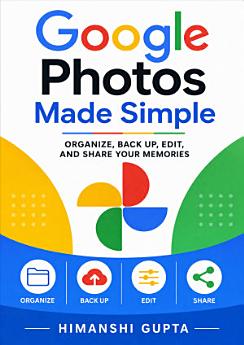
Make every photo easier to find, safer to store, and more enjoyable to share with Google Photos Made Simple. Written for beginners and everyday users, this practical guide by Himanshi Gupta explains how to use Google Photos with confidence—whether you are organizing years of memories, backing up images from your phone, editing snapshots, or creating meaningful albums and projects. Learn how to navigate Google Photos, manage your photo library, search by people and places, sort images, and reduce digital clutter. Discover straightforward backup strategies, storage and account considerations, and tips for protecting important memories across devices. You will also explore easy photo-editing tools, including enhancements, cropping, filters, adjustments, and creative features that can improve your pictures without complicated software. Google Photos Made Simple also shows you how to share individual photos, albums, and memories with family and friends while maintaining control over your content. Step-by-step guidance helps you understand common settings, avoid confusion, and build a reliable workflow for managing digital photos. Whether you are new to cloud photo storage or want to get more from an existing Google Photos library, this accessible handbook helps you take control of your memories. With clear explanations and practical advice, you can organize, back up, edit, and share your photos more efficiently—so your best moments remain easy to enjoy for years to come.
Make every photo easier to find, safer to store, and more enjoyable to share with Google Photos Made Simple. Written for beginners and everyday users, this practical guide by Himanshi Gupta explains how to use Google Photos with confidence—whether you are organizing years of memories, backing up ...
Discover more
About the author
Himanshi Gupta is a practical technology author who creates clear, approachable guides for everyday digital users. Through Google Photos Made Simple, she helps readers organize photo libraries, use cloud backup, edit images, and share memories with greater confidence. Her writing focuses on simplifying technology, explaining useful features step by step, and helping readers build reliable digital habits.
Himanshi Gupta is a practical technology author who creates clear, approachable guides for everyday digital users. Through Google Photos Made Simple, she helps readers organize photo libraries, use cloud backup, edit images, and share memories with greater confidence. Her writing focuses on simpl...
Rate this ebook
Tell us what you think.
Reading information
Smartphones and tablets
Install the Google Play Books app for Android and iPad/iPhone. It syncs automatically with your account and allows you to read online or offline wherever you are.
Laptops and computers
You can listen to audiobooks purchased on Google Play using your computer's web browser.
eReaders and other devices
To read on e-ink devices like Kobo eReaders, you'll need to download a file and transfer it to your device. Follow the detailed Help Center instructions to transfer the files to supported eReaders.