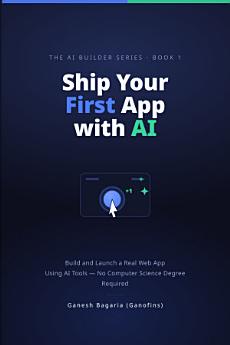
Ship Your First App with AI: Build and Launch a Real Web App Using AI Tools — No Computer Science Degree Required

Ganofins
Ebook
60
Pages
Tools

About this ebook

You do not need a computer science degree to build a real app. You need to know how to direct AI — and this book teaches you by building a real, playable game and putting it online.


Ship Your First App with AI takes a complete beginner from a blank screen to a finished, published web app. Using Bolt in your browser, you build **TapGlint**, a reflex game where you tap a target that jumps to a new position while a 30-second countdown keeps the pressure on.


Each chapter adds one piece: the Start, Play, and Game Over screens; scoring and game logic; a global top-ten leaderboard powered by Supabase; mobile-friendly polish; debugging; and finally a live web address. A Challenge a friend button lets you share your score and invite someone to beat it.


More than a single game, you learn a repeatable process: describe what you want, let AI build it, check the result, and adjust one small step at a time until it works and is live.


The book's real-world figures and examples are sourced and dated, with honest expectations about what AI can and cannot do. If you can use a browser and describe what you want in plain English, you can build and launch your first app. No coding experience needed.

You do not need a computer science degree to build a real app. You need to know how to direct AI — and this book teaches you by building a real, playable game and putting it online. Ship Your First App with AI takes a complete beginner from a blank screen to a finished, published web app. Using ...

Discover more

About the author

Ganesh Bagaria who is better known by his online alias Ganofins is a YouTuber at Tutorials with Ganofins, Instructor at Udemy, Freelancer at Fiverr and a Student.

Ganesh Bagaria who is better known by his online alias Ganofins is a YouTuber at Tutorials with Ganofins, Instructor at Udemy, Freelancer at Fiverr and a Student.

Rate this ebook

Tell us what you think.

Reading information

Smartphones and tablets
Install the Google Play Books app for Android and iPad/iPhone. It syncs automatically with your account and allows you to read online or offline wherever you are.
Laptops and computers
You can listen to audiobooks purchased on Google Play using your computer's web browser.
eReaders and other devices
To read on e-ink devices like Kobo eReaders, you'll need to download a file and transfer it to your device. Follow the detailed Help Center instructions to transfer the files to supported eReaders.