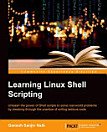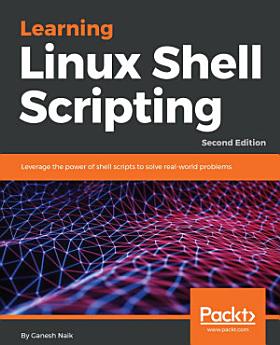
Learning Linux Shell Scripting: Leverage the power of shell scripts to solve real-world problems, Edition 2
May 2018 · Packt Publishing Ltd
star
3 reviews
Ebook
332
Pages
Tools
info
About this ebook
Break through the practice of writing tedious code with shell scriptsKey Features
- Learn to impeccably build shell scripts and develop advanced applications
- Create smart solutions by writing and debugging scripts
- A step-by-step tutorial to automate routine tasks by developing scripts
- Familiarize yourself with the various text filtering tools available in Linux
- Understand expressions and variables and how to use them practically
- Automate decision-making and save a lot of time and effort of revisiting code
- Get to grips with advanced functionality such as using traps, dialogs to develop screens & Database administration such as MySQL or Oracle
- Start up a system and customize a Linux system
- Taking backup of local or remote data or important files.
- Use existing other language scripts such as Python, Perl & Ruby in Shell Scripts
Learning Linux Shell Scripting is ideal for those who are proficient at working with Linux and want to learn about shell scripting to improve their efficiency and practical skills.
Break through the practice of writing tedious code with shell scriptsKey Features
Learn to impeccably build shell scripts and develop advanced applications
Create smart solutions by writing and debugging scripts
A step-by-step tutorial to automate routine tasks by developing scripts
Book Descript...
Discover more
Ratings and reviews
3 reviews

Jon McCombs
- Flag inappropriate
- Show review history
February 20, 2019
A good quick read on topics, could have used more xomplwx examples

Anil Das
- Flag inappropriate
October 26, 2022
AAA BOSS NETWORK
About the author
Ganesh Naik is an author, consultant, and corporate trainer for embedded Android, embedded Linux, IoT, and machine learning related product development. He has more than 20 years, professional experience and project accomplishment in information technology. He has worked as a corporate trainer for the Indian Space Research Organization, Intel, GE, Samsung, Motorola, Penang Skills Development Center, and various companies in Singapore and India. He has started a company called Levana Technologies, which works with organizations for consulting and training activities.
Ganesh Naik is an author, consultant, and corporate trainer for embedded Android, embedded Linux, IoT, and machine learning related product development. He has more than 20 years, professional experience and project accomplishment in information technology. He has worked as a corporate trainer fo...
Rate this ebook
Tell us what you think.
Reading information
Smartphones and tablets
Install the Google Play Books app for Android and iPad/iPhone. It syncs automatically with your account and allows you to read online or offline wherever you are.
Laptops and computers
You can listen to audiobooks purchased on Google Play using your computer's web browser.
eReaders and other devices
To read on e-ink devices like Kobo eReaders, you'll need to download a file and transfer it to your device. Follow the detailed Help Center instructions to transfer the files to supported eReaders.