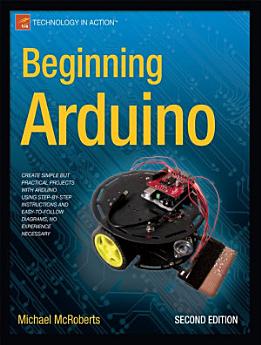
Beginning Arduino: Edition 2

┬╖ Apress
рем рд╕рдореАрдХреНрд╖рд╛рд╣рд░реВ
рдЗ-рдкреБрд╕реНрддрдХ
424
рдкреГрд╖реНрдард╣рд░реВ

рдпреЛ рдЗ-рдкреБрд╕реНрддрдХрдХрд╛ рдмрд╛рд░реЗрдорд╛

Want to light up a display? Control a touch screen? Program a robot? The Arduino is a microcontroller board that can help you do all of these things, plus nearly anything you can dream up. Even better, it's inexpensive and, with the help of Beginning Arduino, Second Edition, easy to learn.

In Beginning Arduino, Second Edition, you will learn all about the popular Arduino by working your way through a set of 50 cool projects. You'll progress from a complete Arduino beginner to intermediate Arduino and electronic skills and the confidence to create your own amazing projects. You'll also learn about the newest Arduino boards like the Uno and the Leonardo along the way. Absolutely no experience in programming or electronics required!

Each project is designed to build upon the knowledge learned in earlier projects and to further your knowledge of Arduino programming and electronics. By the end of the book you will be able to create your own projects confidently and with creativity. You'll learn about:

  • Controlling LEDs
  • Displaying text and graphics on LCD displays
  • Making a line-following robot
  • Using digital pressure sensors
  • Reading and writing data to SD cards
  • Connecting your Arduino to the Internet

This book is for electronics enthusiasts who are new to the Arduino as well as artists and hobbyists who want to learn this very popular platform for physical computing and electronic art.

Please note: The print version of this title is black and white; the eBook is full color. The color fritzing diagrams are available in the source code downloads on http://www.apress.com/9781430250166

Want to light up a display? Control a touch screen? Program a robot? The Arduino is a microcontroller board that can help you do all of these things, plus nearly anything you can dream up. Even better, it's inexpensive and, with the help of Beginning Arduino, Second Edition, easy to learn. In Beg...

рдердк рдХреБрд░рд╛ рдкрддреНрддрд╛ рд▓рдЧрд╛рдЙрдиреБрд╣реЛрд╕реН

рдореВрд▓реНрдпрд╛рдЩреНрдХрди рд░ рд╕рдореАрдХреНрд╖рд╛рд╣рд░реВ

рем рд╕рдореАрдХреНрд╖рд╛рд╣рд░реВ

рд▓реЗрдЦрдХрдХреЛ рдмрд╛рд░реЗрдорд╛

Mike McRoberts discovered the Arduino in 2008 while looking for ways to connect a temperature sensor to a PC to make a cloud detector for his other hobby astrophotography. After a bit of research, the Arduino seemed like the obvious choice, and the cloud detector was successfully made, quickly and cheaply. Mike s fascination with the Arduino had begun. Since then he has gone on to make countless projects using the Arduino. He had also founded an Arduino starter kit and component online business called Earthshine Electronics. His next project is to use an Arduino-based circuit to send a high altitude balloon up to the edge of space to take stills and video for the heck of it, with the help of the guys from the U.K. High Altitude Society and CUSF. Mike s hobby of electronics began as a child when the 100-in-1 electronics kits from Radio Shack made up his Christmas present list. He started programming as a hobby when he obtained a Sinclair ZX81 computer as a teenager. Since then, he s never been without a computer. Recently, he s become a Mac convert. He is a member of London Hackspace and the Orpington Astronomical Society and can regularly be found contributing to the Arduino Forum. He also likes to lurk on IRC in the Arduino, high altitude and london-hack-space channels (as earthshine ), and on Twitter @TheArduinoGuy. When he is not messing around with Arduinos or running Earthshine Electronics, he likes to indulge in astronomy, astrophotography, motorcycling, and sailing.
Mike McRoberts discovered the Arduino in 2008 while looking for ways to connect a temperature sensor to a PC to make a cloud detector for his other hobby astrophotography. After a bit of research, the Arduino seemed like the obvious choice, and the cloud detector was successfully made, quickly an...

рдпреЛ рдЗ-рдкреБрд╕реНрддрдХрдХреЛ рдореВрд▓реНрдпрд╛рдЩреНрдХрди рдЧрд░реНрдиреБрд╣реЛрд╕реН

рд╣рд╛рдореАрд▓рд╛рдИ рдЖрдлреНрдиреЛ рдзрд╛рд░рдгрд╛ рдмрддрд╛рдЙрдиреБрд╣реЛрд╕реНред

рдЬрд╛рдирдХрд╛рд░реА рдкрдвреНрджреИ

рд╕реНрдорд╛рд░реНрдЯрдлреЛрди рддрдерд╛ рдЯреНрдпрд╛рдмрд▓реЗрдЯрд╣рд░реВ
Android рд░ iPad/iPhone рдХрд╛ рд▓рд╛рдЧрд┐┬аGoogle Play рдХрд┐рддрд╛рдм рдПрдк рдХреЛ рдЗрдиреНрд╕реНрдЯрд▓ рдЧрд░реНрдиреБрд╣реЛрд╕реНред рдпреЛ рддрдкрд╛рдИрдВрдХреЛ рдЦрд╛рддрд╛рд╕реЕрдВрдЧ рд╕реНрд╡рддрдГ рд╕рд┐рдВрдХ рд╣реБрдиреНрдЫ рд░ рддрдкрд╛рдИрдВ рдЕрдирд▓рд╛рдЗрди рд╡рд╛ рдЕрдлрд▓рд╛рдЗрди рдЬрд╣рд╛рдБ рднрдП рдкрдирд┐┬ардЕрдзреНрдпрдпрди рдЧрд░реНрди рджрд┐рдиреНрдЫред
рд▓реНрдпрд╛рдкрдЯрдк рддрдерд╛ рдХрдореНрдкреНрдпреБрдЯрд░рд╣рд░реВ
рддрдкрд╛рдИрдВ Google Play рдорд╛ рдЦрд░рд┐рдж рдЧрд░рд┐рдПрдХреЛ рдЕрдбрд┐рдпреЛрдмреБрдХ рдЖрдлреНрдиреЛ рдХрдореНрдкреНрдпреБрдЯрд░рдХреЛ рд╡реЗрдм рдмреНрд░рд╛рдЙрдЬрд░ рдкреНрд░рдпреЛрдЧ рдЧрд░реЗрд░ рд╕реБрдиреНрди рд╕рдХреНрдиреБрд╣реБрдиреНрдЫред
eReaders рд░ рдЕрдиреНрдп рдЙрдкрдХрд░рдгрд╣рд░реВ
Kobo eReaders рдЬрд╕реНрддрд╛ e-ink рдбрд┐рднрд╛рдЗрд╕рд╣рд░реВрдорд╛ рдлрд╛рдЗрд▓ рдкрдвреНрди рддрдкрд╛рдИрдВрд▓реЗ рдлрд╛рдЗрд▓ рдбрд╛рдЙрдирд▓реЛрдб рдЧрд░реЗрд░ рдЙрдХреНрдд рдлрд╛рдЗрд▓ рдЖрдлреНрдиреЛ рдбрд┐рднрд╛рдЗрд╕рдорд╛ рдЯреНрд░рд╛рдиреНрд╕реНрдлрд░ рдЧрд░реНрдиреБ рдкрд░реНрдиреЗ рд╣реБрдиреНрдЫред рддреА рдлрд╛рдЗрд▓рд╣рд░реВ рдкрдвреНрди рдорд┐рд▓реНрдиреЗ рдЗрдмреБрдХ рд░рд┐рдбрд░рд╣рд░реВрдорд╛ рддреА рдлрд╛рдЗрд▓рд╣рд░реВ рдЯреНрд░рд╛рдиреНрд╕реНрдлрд░ рдЧрд░реНрдиреЗрд╕рдореНрдмрдиреНрдзреА рд╡рд┐рд╕реНрддреГрдд рдирд┐рд░реНрджреЗрд╢рдирд╣рд░реВ рдкреНрд░рд╛рдкреНрдд рдЧрд░реНрди рдорджреНрджрдд рдХреЗрдиреНрджреНрд░ рдорд╛ рдЬрд╛рдиреБрд╣реЛрд╕реНред