About this ebook
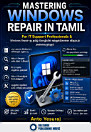
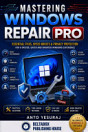
Stop Paying for Expensive Computer Repairs—Learn to Fix Windows Yourself!
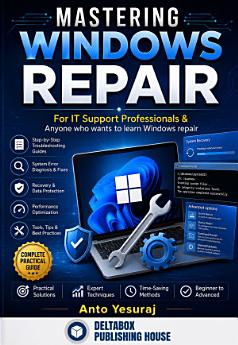
A slow computer, unexpected crashes, Blue Screen errors, startup failures, Wi-Fi problems, or Windows update issues can disrupt your work, studies, or business at the worst possible time. Many people spend hundreds or even thousands of dollars on technical support for problems that can often be solved in just a few simple steps.
Mastering Windows Repair is designed to help you take control of your Windows PC. Whether you're a complete beginner or an experienced user, this practical guide teaches you how to diagnose common Windows problems, repair your system safely, improve performance, strengthen security, and keep your computer running smoothly.
Written in a clear, easy-to-understand style, this book focuses on practical solutions rather than complicated technical theory. Each chapter provides step-by-step guidance that you can apply immediately to solve real Windows problems with confidence.
By reading this book, you'll learn how to keep your computer running faster, troubleshoot common system issues, recover from unexpected errors, protect your personal data, and avoid unnecessary repair bills. The knowledge you gain can help you maintain your own PC, assist family and friends, or even build the foundation for a career in IT support.
Whether you use your computer for work, education, gaming, business, programming, or everyday tasks, Mastering Windows Repair is a valuable reference you'll return to whenever Windows gives you trouble.
Don't let computer problems control your day. Take charge of your Windows PC, save money on repairs, increase your technical skills, and become the person everyone turns to for Windows solutions.
Your journey to becoming a Windows troubleshooting expert starts here.
Discover more
Ratings and reviews

- Flag inappropriate

- Flag inappropriate

- Flag inappropriate
- Show review history
About the author
Anto Yesuraj (MCITP, MCITP, MCSA, MCPD, MCTS, MCP, RCP, and CEHE) is an accomplished technology professional, author, ethical hacker, cybersecurity expert, web designer, software developer, network administrator, hardware technician, trainer, entrepreneur, and content creator. With years of experience in the information technology industry, he has built a reputation for simplifying complex technical concepts and making them accessible to students, professionals, and technology enthusiasts.
Currently associated with Cloudhunt Technologies Pvt. Ltd., Anto has worked on a wide range of IT solutions, including web development, enterprise networking, Windows administration, cybersecurity, cloud computing, mobile application development, and digital transformation. His expertise spans multiple technology domains, allowing him to deliver practical solutions and technical guidance to individuals and organizations alike.
A passionate advocate of cybersecurity, Anto believes that "The best way to hack is the best way to secure." His work focuses on ethical hacking, cyber defense, secure system administration, and information security awareness. He has presented and participated in numerous IEEE International Conferences, national conferences, technical seminars, and research forums, with research interests centered on securing modern information technology infrastructures.
Anto is also an active WordPress contributor and an enthusiastic supporter of open-source technologies. Through his educational initiatives, he has helped thousands of learners develop practical IT skills in Windows administration, networking, web technologies, cybersecurity, and emerging digital solutions. As a YouTube NextUp Winner and technology educator, he continues to share valuable knowledge through online courses, technical videos, books, and professional training programs, reaching a community of more than one million followers across digital platforms.
His books combine practical experience with step-by-step instruction, enabling readers of all skill levels to understand and implement modern technologies with confidence. Whether writing about Microsoft Windows, networking, cybersecurity, web development, cloud technologies, or digital transformation, Anto emphasizes hands-on learning, real-world troubleshooting, and industry best practices.
Driven by continuous learning and innovation, Anto Yesuraj remains committed to advancing technology education, promoting cybersecurity awareness, and empowering individuals and organizations to embrace technology safely, responsibly, and effectively. His mission is to bridge the gap between theory and practice by providing reliable, practical, and easy-to-understand technical knowledge that helps readers succeed in today's rapidly evolving digital world.