About this ebook
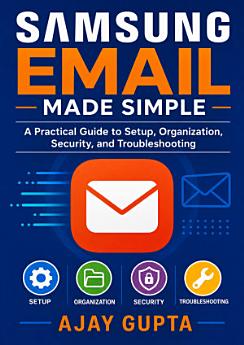
Samsung Email Made Simple is a practical, easy-to-follow guide for anyone who wants to manage email confidently on a Samsung Galaxy phone or tablet. Whether you are setting up your first account, switching devices, or trying to bring order to a crowded inbox, this book provides clear instructions and useful strategies for everyday email management. Learn how to add and configure Gmail, Outlook, Yahoo, work, school, and other email accounts in the Samsung Email app. Discover how to organize messages with folders, labels, filters, flags, and search tools; write professional emails; manage attachments; and personalize notifications and synchronization settings. The guide also explains essential email security practices, including strong passwords, two-factor authentication, phishing awareness, privacy protection, and safe handling of suspicious messages and links. When problems arise, Samsung Email Made Simple offers practical troubleshooting for common issues such as login errors, delayed messages, missing emails, sync failures, notification problems, attachment difficulties, and storage concerns. Step-by-step guidance helps readers understand settings without technical confusion, making the book useful for beginners, older adults, families, students, professionals, and anyone who wants a more reliable mobile email experience. Written in plain language, this Samsung Email user guide turns complicated tasks into manageable steps. Use it as a setup manual, a daily reference, or a troubleshooting companion to communicate securely and stay organized on your Samsung device.
Samsung Email Made Simple is a practical, easy-to-follow guide for anyone who wants to manage email confidently on a Samsung Galaxy phone or tablet. Whether you are setting up your first account, switching devices, or trying to bring order to a crowded inbox, this book provides clear instructions...
Discover more
About the author
Ajay Gupta is a practical technology writer focused on making everyday digital tools easier to understand and use. His work emphasizes clear, step-by-step guidance for Samsung Galaxy devices, mobile email setup, inbox organization, privacy, security, and troubleshooting. With a reader-friendly approach, Ajay helps beginners and experienced users communicate more confidently and manage technology with less frustration. Samsung Email Made Simple reflects his commitment to accessible, useful, and actionable tech education.
Ajay Gupta is a practical technology writer focused on making everyday digital tools easier to understand and use. His work emphasizes clear, step-by-step guidance for Samsung Galaxy devices, mobile email setup, inbox organization, privacy, security, and troubleshooting. With a reader-friendly ap...
Rate this ebook
Tell us what you think.
Reading information
Smartphones and tablets
Install the Google Play Books app for Android and iPad/iPhone. It syncs automatically with your account and allows you to read online or offline wherever you are.
Laptops and computers
You can listen to audiobooks purchased on Google Play using your computer's web browser.
eReaders and other devices
To read on e-ink devices like Kobo eReaders, you'll need to download a file and transfer it to your device. Follow the detailed Help Center instructions to transfer the files to supported eReaders.