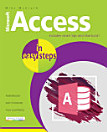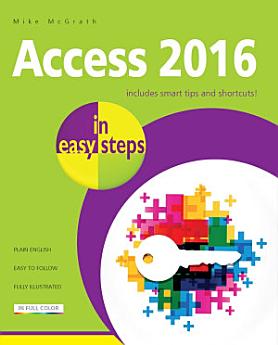
Access 2016 in easy steps
ຕ.ລ. 2017 · In Easy Steps
ປຶ້ມອີບຸກ
192
ໜ້າ
ເຄື່ອງມື
info
family_home
ມີສິດ
info
ກ່ຽວກັບປຶ້ມ e-book ນີ້
Access 2016 in easy steps neatly demonstrates the important functions of Access 2016 in a clear and concise manner, so you can get going quickly with this popular database application. Areas covered include: Optimizing database design Creating Tables to store data in formatted fields Using handy templates to give you a head start Defining relationships between data Importing and exporting of data Making queries to extract specific data Producing Forms for data entry Constructing Reports for data presentation Sharing your database to impress your colleagues!
Whether you’re upgrading to Access 2016 or new to the database concept, use this guide to learn the key features constructively and get more out of Access 2016 – in easy steps!
Contents
Getting started Designing databases Creating Tables Defining relationships Handling data Querying databases Issuing SQL commands Producing Forms Fine-tuning Forms Constructing Reports Sharing Access Access 2016 in easy steps neatly demonstrates the important functions of Access 2016 in a clear and concise manner, so you can get going quickly with this popular database application. Areas covered include: Optimizing database design Creating Tables to store data in formatted fields Using handy...
ຄົ້ນພົບເພີ່ມເຕີມ
ກ່ຽວກັບຜູ້ຂຽນ
Mike McGrath lives in South-east Europe, on the sun-kissed shores of the Aegean Sea. Mike gained his extensive knowledge of computer languages while working as a developer contracting to companies around the world. His interests include coins of ancient Greece, dining-out with friends, and the ongoing evolution of the world wide web.
Mike McGrath lives in South-east Europe, on the sun-kissed shores of the Aegean Sea. Mike gained his extensive knowledge of computer languages while working as a developer contracting to companies around the world. His interests include coins of ancient Greece, dining-out with friends, and the on...
ໃຫ້ຄະແນນ e-book ນີ້
ບອກພວກເຮົາວ່າທ່ານຄິດແນວໃດ.
ອ່ານຂໍ້ມູນຂ່າວສານ
ສະມາດໂຟນ ແລະ ແທັບເລັດ
ຕິດຕັ້ງ ແອັບ Google Play Books ສຳລັບ Android ແລະ iPad/iPhone. ມັນຊິ້ງຂໍ້ມູນໂດຍອັດຕະໂນມັດກັບບັນຊີຂອງທ່ານ ແລະ ອະນຸຍາດໃຫ້ທ່ານອ່ານທາງອອນລາຍ ຫຼື ແບບອອບລາຍໄດ້ ບໍ່ວ່າທ່ານຈະຢູ່ໃສ.
ແລັບທັອບ ແລະ ຄອມພິວເຕີ
ທ່ານສາມາດຟັງປຶ້ມສຽງທີ່ຊື້ໃນ Google Play ໂດຍໃຊ້ໂປຣແກຣມທ່ອງເວັບຂອງຄອມພິວເຕີຂອງທ່ານໄດ້.
eReaders ແລະອຸປະກອນອື່ນໆ
ເພື່ອອ່ານໃນອຸປະກອນ e-ink ເຊັ່ນ: Kobo eReader, ທ່ານຈຳເປັນຕ້ອງດາວໂຫຼດໄຟລ໌ ແລະ ໂອນຍ້າຍມັນໄປໃສ່ອຸປະກອນຂອງທ່ານກ່ອນ. ປະຕິບັດຕາມຄຳແນະນຳລະອຽດຂອງ ສູນຊ່ວຍເຫຼືອ ເພື່ອໂອນຍ້າຍໄຟລ໌ໄໃສ່ eReader ທີ່ຮອງຮັບ.