
Wear File Transfer


PEGI 3
info
0+
Downloads

PEGI 3
Learn more


About this app
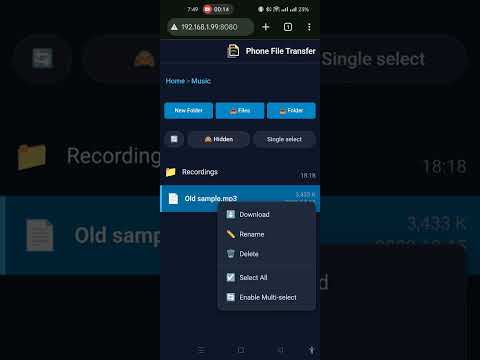
Wear File Transfer turns your Wear OS smartwatch into a wireless local HTTP file server! Easily transfer files, audio, music, images, documents, and backups between your PC, phone, or laptop and your smartwatch without cables or cloud uploads.
Key Features:
Simple, fast, and secure wireless file management for Wear OS!
Key Features:
- Wireless File Transfer: Connect over your local Wi-Fi network and access files directly using any web browser on PC, Mac, Linux, or mobile devices.
- Upload & Download: Upload single or multiple files and folders directly to watch storage. Download files individually or as compressed ZIP archives.
- On-Watch File Management: Create folders, rename, delete files, and browse watch storage directly from your browser interface.
- No Cloud or Cable Needed: Fast, private, direct transfers within your local Wi-Fi network.
- Standalone Wear OS Support: Works directly on your Wear OS watch—no mandatory phone app needed.
Simple, fast, and secure wireless file management for Wear OS!
Transfer files wirelessly between your Wear OS watch and PC/phone browser
Updated on
Safety starts with understanding how developers collect and share your data. Data privacy and security practices may vary based on your use, region, and age. The developer provided this information and may update it over time.
- No data shared with third partiesLearn more about how developers declare sharing
- No data collectedLearn more about how developers declare collection
- Committed to follow the Play Families Policy


PEGI 3
Learn moreApp support
About the developer
JIANG TAO
playstore@asc.hk
Flat C, 34/F, Tower 7
Harbour Place, 8 Oi King St
紅磡
九龍
Hong Kong


