
Copy My Data: Transfer Content
Contains adsIn-app purchases

star
267K reviews

PEGI 3
info
50M+
Downloads

PEGI 3
Learn more


About this app
Copy My Data: Transfer Content
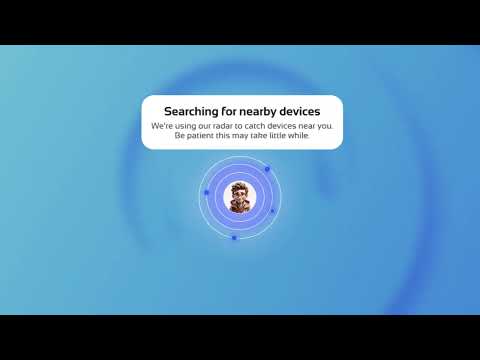
📱 Don’t lose any files, photos or folders from your old smartphone. Use Copy My Data to transfer everything you need. Use the app through the internet, Bluetooth or a QR code.
⚡ Transfer files easily with a QR code
Transfer files from one phone to another by scanning a QR code. The transfer is faster than many other methods and always shows the estimated time required to complete the process.
📶 Transfer files through a WiFi network
Copy your files from one phone to another over a WiFi network without needing a computer. This data and file transfer app delivers excellent cross-platform transfer speeds between devices.
📂 Transfer your important content
Easily move the following to your new smartphone:
✔️ Contacts
✔️ Calendar data
✔️ Photos
✔️ Videos
✔️ Music
✔️ Documents
Copy My Data provides secure phone-to-phone sharing, helping keep your personal information protected throughout the transfer process.
🔄 Clone your phone in a few simple steps
Make sure both devices are connected to the same WiFi network and launch the app. Copy My Data will guide you through the process of copying your data from one device to another.
📲 Connect two smartphones with a QR code
Create a simple wireless connection between two smartphones using a QR code. Clone your phone and avoid losing contacts, documents or videos when switching to a new device.
🚀 Download Copy My Data: Transfer Content today
Start transferring all your content quickly, easily and securely. Whether it’s photos, videos, contacts or documents, move everything to your new smartphone without losing anything.
📱 Don’t lose any files, photos or folders from your old smartphone. Use Copy My Data to transfer everything you need. Use the app through the internet, Bluetooth or a QR code.
⚡ Transfer files easily with a QR code
Transfer files from one phone to another by scanning a QR code. The transfer is faster than many other methods and always shows the estimated time required to complete the process.
📶 Transfer files through a WiFi network
Copy your files from one phone to another over a WiFi network without needing a computer. This data and file transfer app delivers excellent cross-platform transfer speeds between devices.
📂 Transfer your important content
Easily move the following to your new smartphone:
✔️ Contacts
✔️ Calendar data
✔️ Photos
✔️ Videos
✔️ Music
✔️ Documents
Copy My Data provides secure phone-to-phone sharing, helping keep your personal information protected throughout the transfer process.
🔄 Clone your phone in a few simple steps
Make sure both devices are connected to the same WiFi network and launch the app. Copy My Data will guide you through the process of copying your data from one device to another.
📲 Connect two smartphones with a QR code
Create a simple wireless connection between two smartphones using a QR code. Clone your phone and avoid losing contacts, documents or videos when switching to a new device.
🚀 Download Copy My Data: Transfer Content today
Start transferring all your content quickly, easily and securely. Whether it’s photos, videos, contacts or documents, move everything to your new smartphone without losing anything.
Move photos, videos and contacts via WiFi and QR code to a new phone
Updated on
Safety starts with understanding how developers collect and share your data. Data privacy and security practices may vary based on your use, region and age. The developer provided this information and may update it over time.


Ratings and reviews
262K reviews

Anika MacKay
- Flag inappropriate
25 May 2026
spent a lot of time selecting which specific things to transfer, only to find that my devices disconnected. then I tried again and did the transfer, but it took long enough for the screen to time out & shut off, so they disconnected again. maybe that's just my own settings, but if so, it would help to have a prompt for resolving that before spending all that time. I ended up only transferring my contacts since that was quick
16 people found this review helpful
Red Sky Labs
27 May 2026
I understand how frustrating disconnections can be. Screen timeouts or unstable private Wi-Fi can often interrupt transfers. Ensuring both phones are on the same, stable private Wi-Fi network and checking phone sleep settings can help. We're always here to assist if you need more specific guidance!

Adnan Haider
- Flag inappropriate
14 September 2026
Super app. All data can be transferred easily without live screen. Nice super easy
15 people found this review helpful
Red Sky Labs
21 September 2026
Hello Adnan. It's great to hear you find Copy My Data super easy to use and that transfers are simple. We're glad the app worked so well for you. Thanks for the kind words!

Brandi Taylor
- Flag inappropriate
27 August 2026
as the others the app trial which the developer did agreement with when adding it to Google play doesn't cancel any which way you go or who on which side is contacted. People who made the app say it isn't them it's play store yet any app platform profits for playstore allowing their app!!! an art app and I make money if the subscription is purchased; acfual FREE ones do the same without trial period ! 7 was and i still am getting this and confacted google a d swapped card # but links bk
9 people found this review helpful
Red Sky Labs
31 August 2026
Hi Brandi. You are right that managing subscription cancellations and unexpected charges can be frustrating. Google Play securely controls all subscriptions and payments. To manage or cancel, open the Google Play app, tap your Profile Icon, then select 'Payments & subscriptions'. Thank you for trying the app.
What's new
We keep the upgrades coming! We polished the calendar experience so you can view, manage, and transfer dates flawlessly. We also tuned our engine to ensure content transfers faster and smoother than ever. If seamless data transfers make your life easier, a 5-star review means the world to us. Thank you!
PEGI 3
Learn moreApp support
About the developer
RED SKY LABS, SOCIEDAD LIMITADA.
admin@redsky-labs.com
CALLE MALTESES, 2 - 2 PLT B
35002 LAS PALMAS DE GRAN CANARIA
Spain
+34 660 70 60 80


