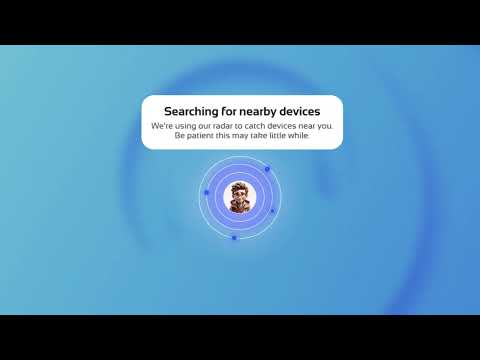

Copy My Data I Phone Transfer
Sadržava oglaseKupovine u aplikacijama

star
266 hilj. recenzije

PEGI 3
info
50 mil.+
Preuzimanja

PEGI 3
Saznajte više


O aplikaciji
📲 SWITCH PHONES WITH COPY MY DATA
Getting a new phone? Copy My Data helps you transfer contacts, photos, videos, music, calendar events, and documents from your old smartphone to a new one. Move your important content with a simple phone-to-phone transfer process using WiFi or QR code pairing.
No computer required. No complicated setup. Just connect compatible devices, select your content, and start your data transfer.
📂 WHAT CAN YOU TRANSFER?
📇 CONTACTS Move your address book to your new phone without adding every name and number manually.
📸 PHOTOS & VIDEOS Transfer photos and videos between supported smartphones and keep your favorite memories with you.
📁 FILES & DOCUMENTS Copy supported files, folders, and documents to your new device.
🎵 MUSIC Move supported music and audio files from one phone to another.
📅 CALENDAR Transfer supported calendar events and important dates when switching phones.
⚡ WHY CHOOSE COPY MY DATA?
✅ EASY PHONE TRANSFER Follow guided steps to connect your old phone and new phone, choose what to move, and track your transfer.
📶 WIRELESS WIFI TRANSFER Transfer files over a compatible WiFi network without a USB cable or desktop computer.
🔗 QR CODE PAIRING Scan a QR code to connect compatible smartphones and begin transferring supported content.
🔄 PHONE-TO-PHONE SHARING Move contacts, photos, videos, music, and documents between supported devices without sending each item separately.
⏱️ TRANSFER PROGRESS Check transfer progress and estimated completion time when available, so you know how your move is going.
📱 HOW TO TRANSFER DATA WITH A QR CODE
1. Open Copy My Data on both phones.
2. Choose the QR code connection option.
3. Scan the code to pair compatible devices.
4. Select the content you want to transfer.
5. Start the transfer and keep both phones connected until it finishes.
📶 HOW TO TRANSFER FILES OVER WIFI
1. Connect both smartphones to the same compatible WiFi network.
2. Open Copy My Data on both devices.
3. Follow the on-screen pairing instructions.
4. Choose your contacts, photos, videos, or other supported files.
5. Start transferring data to your new phone.
🔄 MADE FOR YOUR NEXT PHONE SWITCH
Copy My Data can help when you want to:
• Transfer data to a new Android phone. • Move contacts from an old phone to a new one. • Transfer photos and videos between smartphones. • Copy music, folders, and important documents. • Use a QR code to connect two phones. • Share files wirelessly over WiFi. • Switch phones without a computer.
Whether you're upgrading, replacing a device, or setting up a second smartphone, Copy My Data makes moving supported content more straightforward.
🔒 CONNECTION & TRANSFER INFORMATION
For WiFi transfer, both devices need access to a network that allows them to communicate. Some public, hotel, school, or corporate networks may restrict device-to-device connections. A private home WiFi network is often the best choice.
Keep the app open and both devices connected while transferring. Supported content, connection methods, transfer speed, and availability can vary by device, operating system, permissions, network conditions, and file type.
Copy My Data transfers supported content; it may not move installed apps, passwords, or every phone setting. Check the options available on your devices before starting.
🚀 READY TO MOVE YOUR DATA?
Download Copy My Data and make your next phone transfer easier. Bring your contacts, photos, videos, music, calendars, and files to your new smartphone with a guided wireless transfer experience.
Getting a new phone? Copy My Data helps you transfer contacts, photos, videos, music, calendar events, and documents from your old smartphone to a new one. Move your important content with a simple phone-to-phone transfer process using WiFi or QR code pairing.
No computer required. No complicated setup. Just connect compatible devices, select your content, and start your data transfer.
📂 WHAT CAN YOU TRANSFER?
📇 CONTACTS Move your address book to your new phone without adding every name and number manually.
📸 PHOTOS & VIDEOS Transfer photos and videos between supported smartphones and keep your favorite memories with you.
📁 FILES & DOCUMENTS Copy supported files, folders, and documents to your new device.
🎵 MUSIC Move supported music and audio files from one phone to another.
📅 CALENDAR Transfer supported calendar events and important dates when switching phones.
⚡ WHY CHOOSE COPY MY DATA?
✅ EASY PHONE TRANSFER Follow guided steps to connect your old phone and new phone, choose what to move, and track your transfer.
📶 WIRELESS WIFI TRANSFER Transfer files over a compatible WiFi network without a USB cable or desktop computer.
🔗 QR CODE PAIRING Scan a QR code to connect compatible smartphones and begin transferring supported content.
🔄 PHONE-TO-PHONE SHARING Move contacts, photos, videos, music, and documents between supported devices without sending each item separately.
⏱️ TRANSFER PROGRESS Check transfer progress and estimated completion time when available, so you know how your move is going.
📱 HOW TO TRANSFER DATA WITH A QR CODE
1. Open Copy My Data on both phones.
2. Choose the QR code connection option.
3. Scan the code to pair compatible devices.
4. Select the content you want to transfer.
5. Start the transfer and keep both phones connected until it finishes.
📶 HOW TO TRANSFER FILES OVER WIFI
1. Connect both smartphones to the same compatible WiFi network.
2. Open Copy My Data on both devices.
3. Follow the on-screen pairing instructions.
4. Choose your contacts, photos, videos, or other supported files.
5. Start transferring data to your new phone.
🔄 MADE FOR YOUR NEXT PHONE SWITCH
Copy My Data can help when you want to:
• Transfer data to a new Android phone. • Move contacts from an old phone to a new one. • Transfer photos and videos between smartphones. • Copy music, folders, and important documents. • Use a QR code to connect two phones. • Share files wirelessly over WiFi. • Switch phones without a computer.
Whether you're upgrading, replacing a device, or setting up a second smartphone, Copy My Data makes moving supported content more straightforward.
🔒 CONNECTION & TRANSFER INFORMATION
For WiFi transfer, both devices need access to a network that allows them to communicate. Some public, hotel, school, or corporate networks may restrict device-to-device connections. A private home WiFi network is often the best choice.
Keep the app open and both devices connected while transferring. Supported content, connection methods, transfer speed, and availability can vary by device, operating system, permissions, network conditions, and file type.
Copy My Data transfers supported content; it may not move installed apps, passwords, or every phone setting. Check the options available on your devices before starting.
🚀 READY TO MOVE YOUR DATA?
Download Copy My Data and make your next phone transfer easier. Bring your contacts, photos, videos, music, calendars, and files to your new smartphone with a guided wireless transfer experience.
Transfer contacts, photos, videos & files to a new smartphone via WiFi or QR.
Ažurirano dana
Sigurnost počinje razumijevanjem na koji način programeri prikupljaju i dijele vaše podatke. Privatnost podataka i sigurnosne prakse se mogu razlikovati ovisno o korištenju, regiji i dobi. Programer je naveo ove informacije i može ih s vremenom ažurirati.


Ocjene i recenzije
262 hilj. recenzija

edina drkenda
- Označavanje kao neprikladno
25. juli 2025.
Odlično!
Red Sky Labs
16. februar 2026.
Hvala vam na sjajnoj recenziji! Odlično je čuti da Copy My Data ispunjava vaša očekivanja. Naš tim je posvećen pružanju sigurnog i efikasnog alata za prenos podataka za 50M+ korisnika širom svijeta. Uvijek radimo na poboljšanju kako bi vaši podaci bili sigurni i dostupni. Cijenimo vašu podršku!

Elvis Beric
- Označavanje kao neprikladno
30. novembar 2024.
ycfbin bugyf
1 osoba smatra ovu recenziju korisnom

Nenad Stankovic
- Označavanje kao neprikladno
- Prikaz historije recenzije
26. februar 2024.
ok
3 osobe smatraju ovu recenziju korisnom
Šta je novo
We keep the upgrades coming! We polished the calendar experience so you can view, manage, and transfer dates flawlessly. We also tuned our engine to ensure content transfers faster and smoother than ever. If seamless data transfers make your life easier, a 5-star review means the world to us. Thank you!
PEGI 3
Saznajte višePodrška za aplikaciju
Informacije o programeru
RED SKY LABS, SOCIEDAD LIMITADA.
admin@redsky-labs.com
CALLE MALTESES, 2 - 2 PLT B
35002 LAS PALMAS DE GRAN CANARIA
Spain
+34 660 70 60 80


