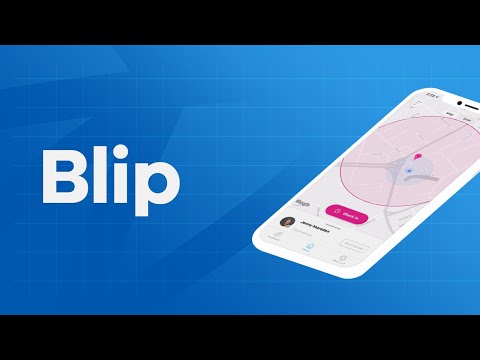

Blip!


PEGI ৩
info
৫ লাখ+
ডাউনল’ড

PEGI ৩
অধিক জানক


এই এপ্টোৰ বিষয়ে
Blip is a free app for BrightHR customers. It lets you easily track your employees’ work hours and locations on the go. Here’s how it works:
Geolocation
Use the app to create a geofence—a virtual boundary—around your workplace. Then, when your employees enter or leave the geofence, Blip picks up their location and asks them to clock in or out, helping you to know exactly where your staff have worked and how long for.
QR codes
Alternatively, you can use Blip’s smart scanning system to record your employees’ work hours instead.
Your staff use Blip to scan a QR code—a type of barcode—when they arrive and leave work. Then, each time they scan the code, Blip will register them as clocked in or out. It’s that simple.
Breaks
Blip makes it easy to track breaks, too. At the tap of a button, your staff can log the start and end of their breaks, so you can see how long and how often they take downtime.
How Blip helps you:
- Check your employees’ work hours and track their location in an instant.
- Keep an eye on your employees’ breaks and make sure they’re getting enough downtime.
- Change an incorrect shift or break time in a few quick taps.
- Create multiple locations and easily track where your employees have worked.
- View a full history of an employee’s work hours and filter the date range easily.
- Export the work history for an individual or team and save it as a spreadsheet for your records.
Geolocation
Use the app to create a geofence—a virtual boundary—around your workplace. Then, when your employees enter or leave the geofence, Blip picks up their location and asks them to clock in or out, helping you to know exactly where your staff have worked and how long for.
QR codes
Alternatively, you can use Blip’s smart scanning system to record your employees’ work hours instead.
Your staff use Blip to scan a QR code—a type of barcode—when they arrive and leave work. Then, each time they scan the code, Blip will register them as clocked in or out. It’s that simple.
Breaks
Blip makes it easy to track breaks, too. At the tap of a button, your staff can log the start and end of their breaks, so you can see how long and how often they take downtime.
How Blip helps you:
- Check your employees’ work hours and track their location in an instant.
- Keep an eye on your employees’ breaks and make sure they’re getting enough downtime.
- Change an incorrect shift or break time in a few quick taps.
- Create multiple locations and easily track where your employees have worked.
- View a full history of an employee’s work hours and filter the date range easily.
- Export the work history for an individual or team and save it as a spreadsheet for your records.
Report on who signs in and out of the office via geolocation and QR Codes!
আপডে’ট কৰা তাৰিখ
বিকাশকৰ্তাসকলে আপোনাৰ ডেটা কেনেকৈ সংগ্ৰহ আৰু শ্বেয়াৰ কৰে সেয়া বুজি পোৱাৰ জৰিয়তে সুৰক্ষা আৰম্ভ হয়। ডেটাৰ গোপনীয়তা আৰু সুৰক্ষা প্ৰণালী আপোনাৰ ব্যৱহাৰ, অঞ্চল আৰু বয়সৰ ওপৰত ভিত্তি কৰি ভিন্ন হ’ব পাৰে। বিকাশকৰ্তাগৰাকীয়ে এই তথ্যখিনি প্ৰদান কৰিছে আৰু সময়ৰ লগে লগে এয়া আপডে’ট কৰিব পাৰে।


নতুন কি আছে
This update contains performance improvements and bug fixes.
PEGI ৩
অধিক জানকএপৰ সমৰ্থন
বিকাশকৰ্তাৰ বিষয়ে
BRIGHT HR LIMITED
tony.phan@brighthr.com
THE PENINSULA 2 Cheetham Hill Road
MANCHESTER
M4 4FB
United Kingdom
+44 7791 594697


